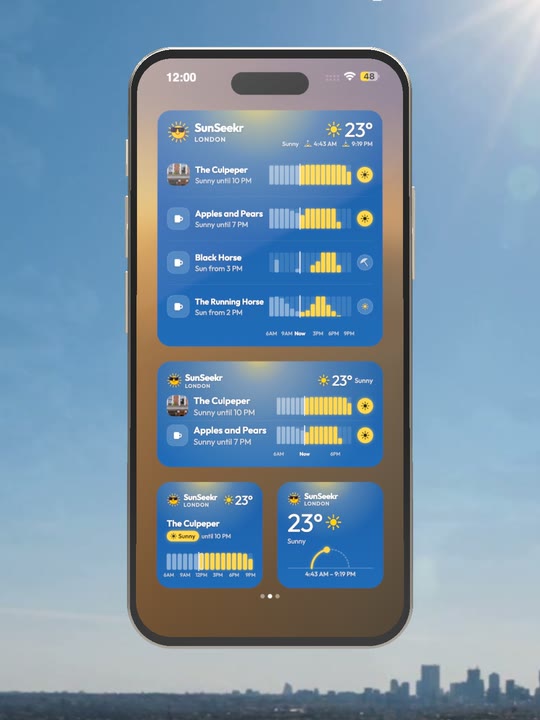
Sunny
Who’s in the sun right now, and until when.
The sun. One glance away.
Your saved spots on your Home Screen: who’s sunny right now, and until when, without opening the app.
iPhone: iOS 17 or later, SunSeekr 3.2. Android: SunSeekr 1.5.
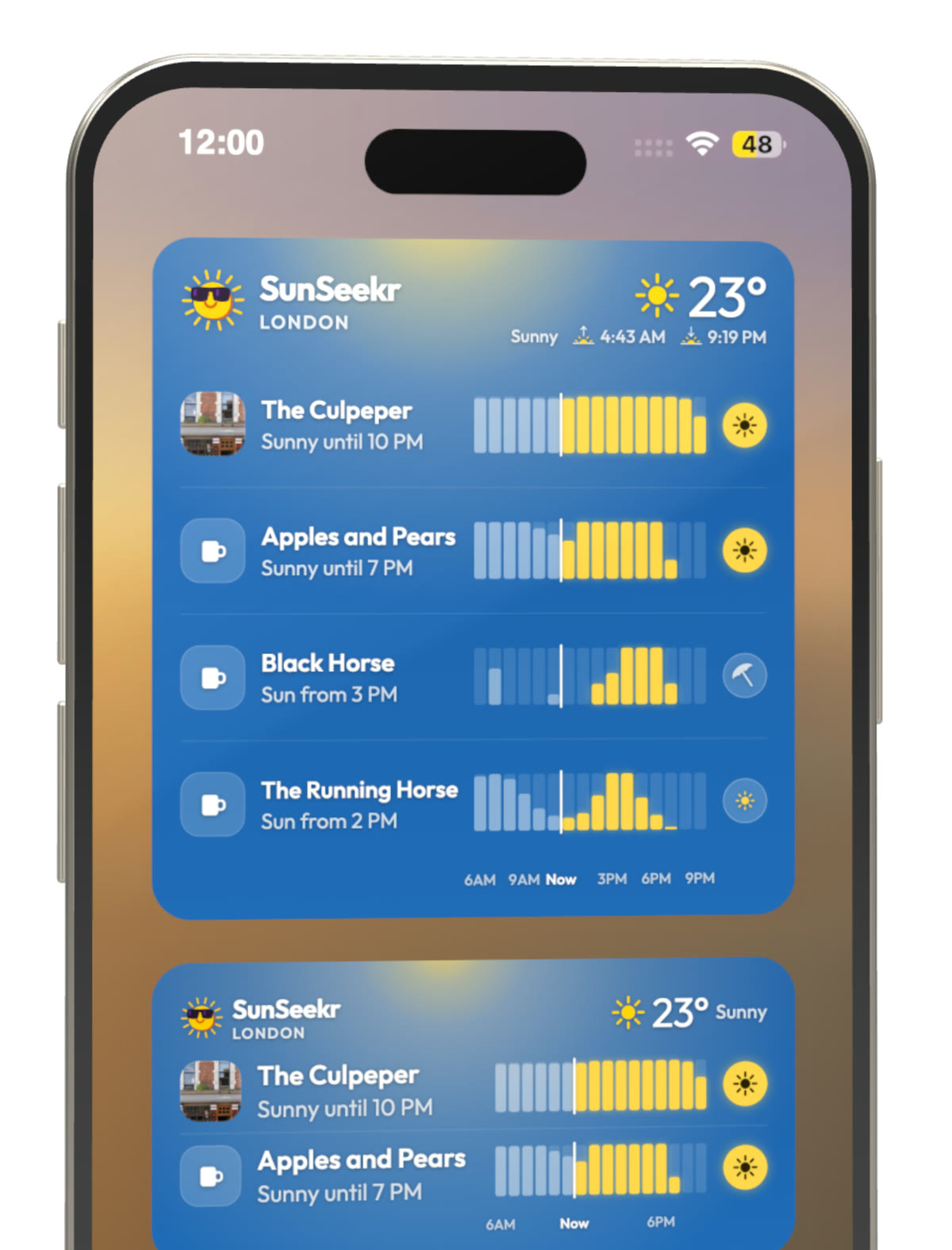
Every bar is real sunlight. We measure, hour by hour, how much of each pub garden and terrace is in direct sun.
So one look tells you who’s sunny now and until when, or when the sun reaches the spot you love.
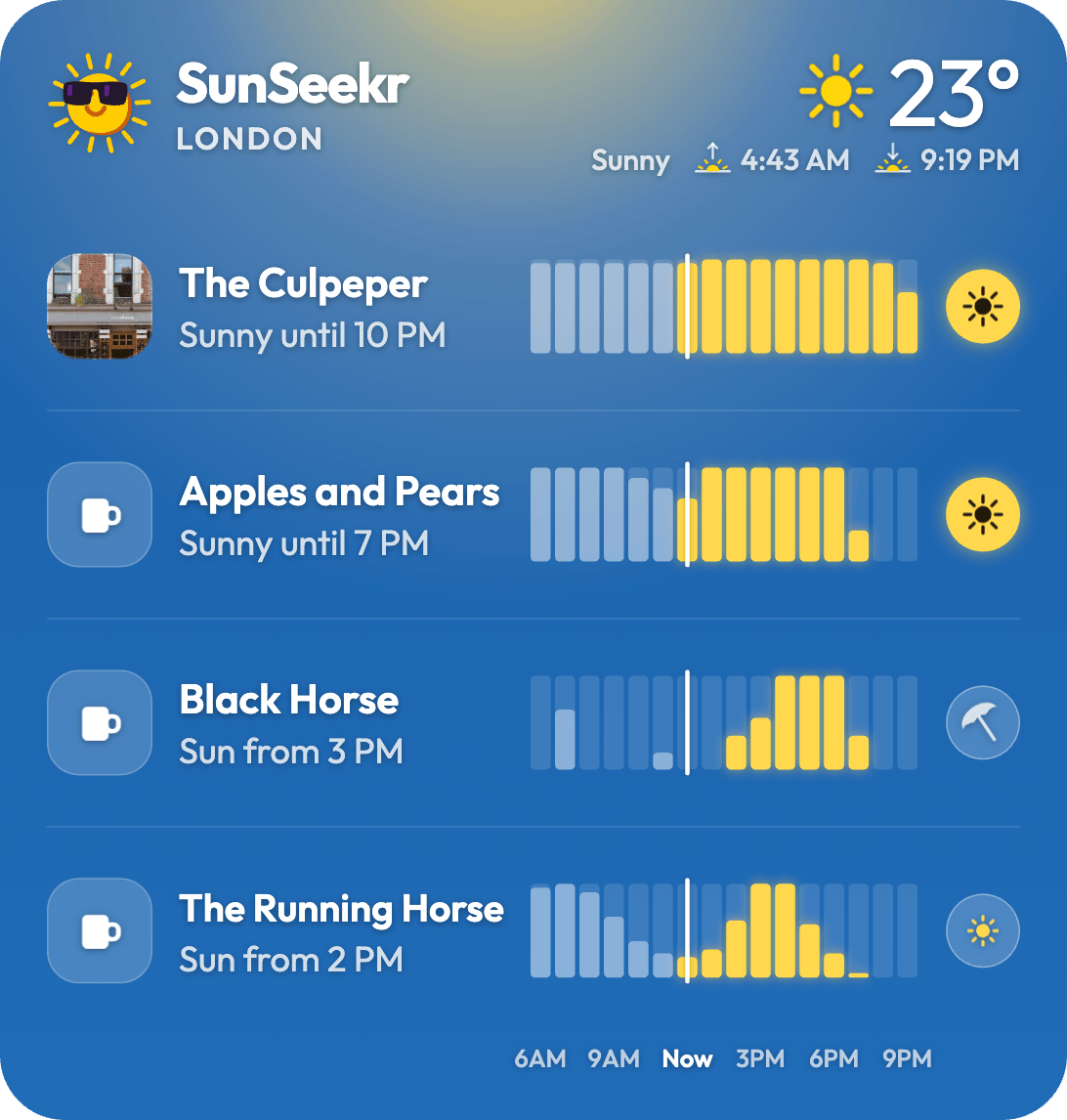
Your widget follows the weather and the time of day, so it shows the sun you can actually get.
Who’s in the sun right now, and until when.
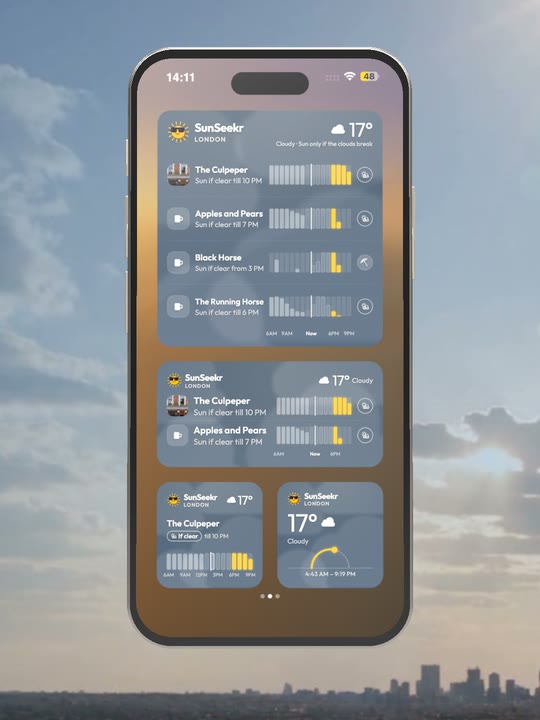
It says “sun if it clears”, so you know where to head when it breaks through.
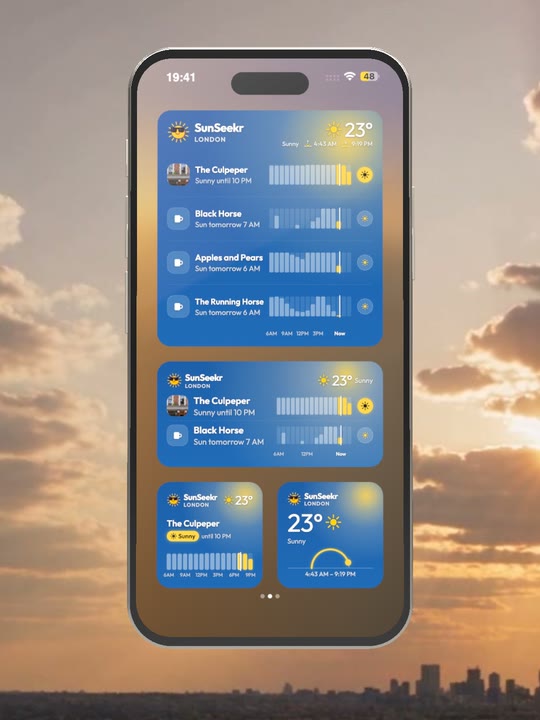
In the evening light, see which spots still have the sun.
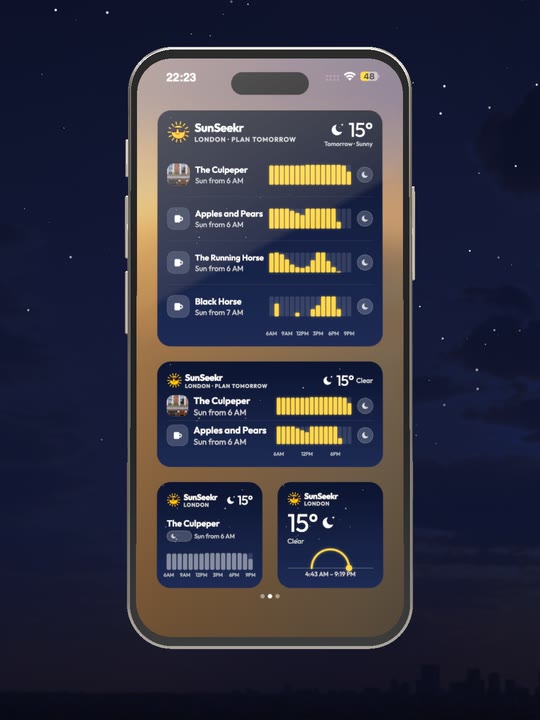
It switches to tomorrow. Plan tomorrow shows when each spot gets the sun.
Small, medium and large on your Home Screen, plus Lock Screen widgets on iPhone.
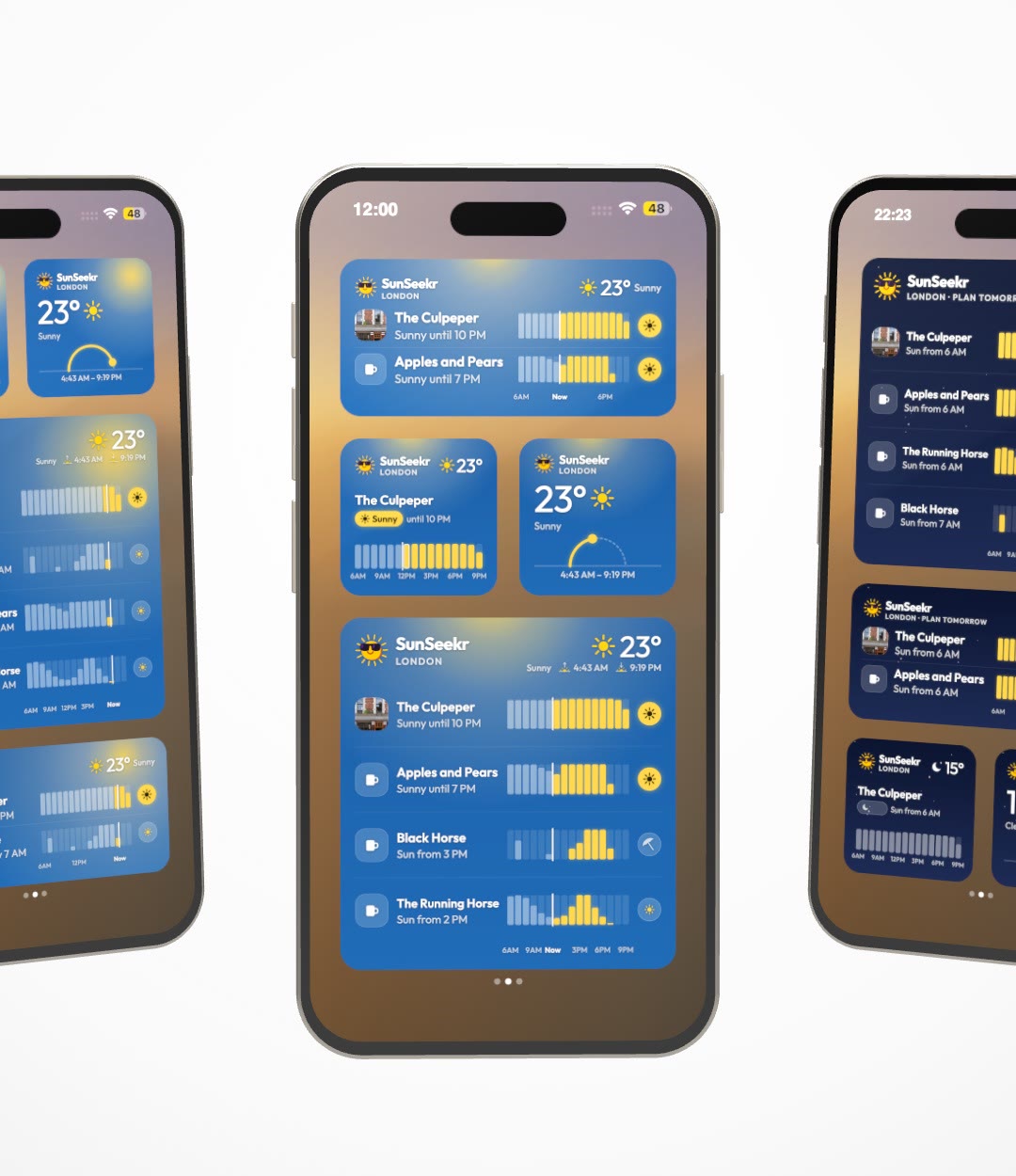
Update SunSeekr first, then add the widget like any other.

iOS 17 or later, SunSeekr 3.2

SunSeekr 1.5
Update SunSeekr and put your sunny spots on your Home Screen.